Mods & Map for MCPE Minecraft
RETRO GAMING LABSLibraries & Demo
4.5123.00 Reviews
- Version
- 1.2.8
- Installs
- 1.00M
- Age Rating
- Teen
Screenshots
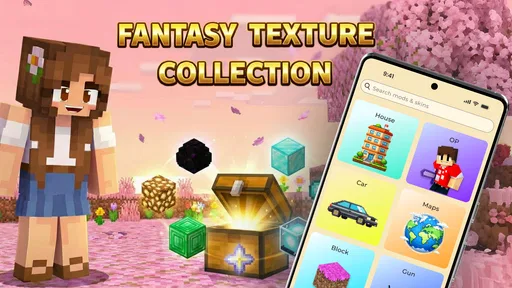
Our Review of Mods & Map for MCPE Minecraft
 Analysis by Appyee
I found Mods & Map for MCPE Minecraft most useful as a browsing and installation companion for players who already know what they want to add to Minecraft Bedrock. Its main appeal is convenience: instead of searching through scattered pages, comparing file types, and trying to remember where a downloaded pack belongs, I can explore mods, addons, maps, skins, and shaders from one focused app. My overall view is positive, but with an important qualification: it is a shortcut for discovering and organizing Minecraft extras, not a replacement for judging whether every download suits your world.
That distinction matters because the app makes the first part of the process easier, while the final decision still belongs to the player. A new map can change the feel of a world, an addon may alter familiar mechanics, and a realistic shader can affect how the game looks without necessarily being the right choice for every device. I enjoyed the quick approach, especially when I wanted inspiration rather than a long technical search, but I also had to stay selective.
What the app does well in everyday Minecraft use
Mods & Map for MCPE Minecraft is a free app in the Libraries & Demo category, developed by RETRO GAMING LABS. It is aimed at Minecraft Pocket Edition and Bedrock-style content, with its collection centered on the things players most often look for outside the base game: custom modifications, maps, character skins, and visual shader packs.
The strongest part of the experience is the way it brings those choices into a single browsing routine. When I wanted to refresh a survival session, I could look for a map first, then consider a skin or visual change without jumping between unrelated tools. That sounds simple, but it removes a surprising amount of friction from casual experimentation. I did not need to begin with a precise file name or understand every community term before finding something interesting.
The one-tap installer idea is particularly appealing for people who are comfortable playing Minecraft but do not enjoy handling downloads manually. A typical alternative is to use a browser, open several pages, identify the correct Bedrock-compatible file, download it, and then work out how the game should open it. This app presents itself as a more direct route. For a player who wants to try a new map during a short break, that streamlined flow can make the difference between actually testing an idea and abandoning it halfway through.
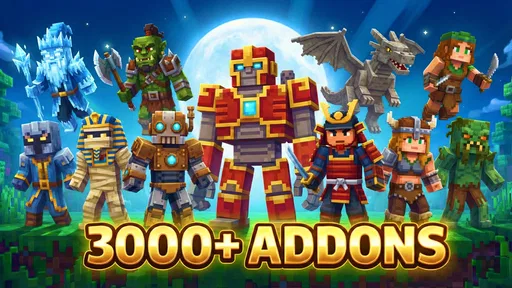
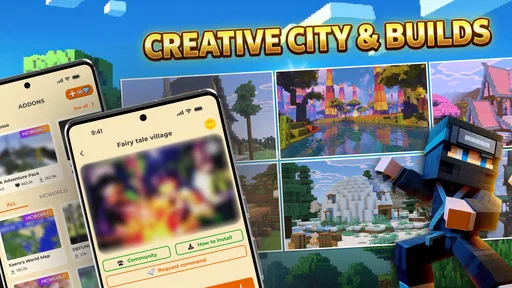
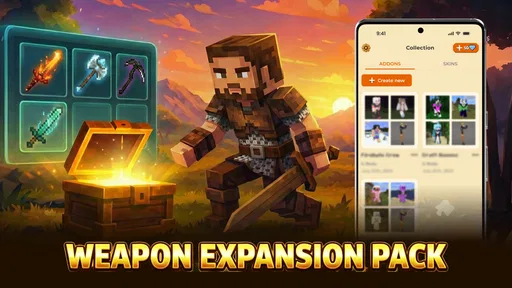
I also liked the range of content types in one place. Maps are useful when I want a prepared setting or challenge; skins provide a quick cosmetic change; addons can make a familiar world feel different; and shaders target the visual side of the game. These are not interchangeable, and treating them as separate ways to customize Minecraft helps me choose with more purpose instead of installing random content simply because it looks attractive in a preview.
One practical workflow is to use the app for discovery first and installation second. I can browse several possibilities, decide what fits the world I am actually playing, and only then install one item. That is better than stacking multiple changes at once, because if something feels wrong afterward, I have a clearer idea of what caused it. This is an easy habit to overlook, but it makes troubleshooting much less frustrating.
The app has built a strong audience, with a 4.7 average from around 9.7 thousand ratings and over 500 thousand installs. Those figures suggest that its straightforward purpose resonates with many Minecraft players. I would not treat popularity as proof that every item inside is equally good, but it does support my impression that the basic browsing-and-installing concept is easy for people to understand.
Why the focused catalog is more useful than a general file manager
A normal file manager can move downloaded content, but it does not help much with the discovery stage. A general browser can find almost anything, but it often leaves the player to interpret titles, screenshots, compatibility notes, and installation instructions. Mods & Map for MCPE Minecraft sits between those options: it is more focused than a file utility and more convenient than a completely open-ended search.
That focus is valuable for younger or less technical players who want to personalize Minecraft without learning the structure of every folder involved. The Teen content rating also gives a clearer indication of the intended audience than a tool designed for all kinds of downloads. I would still supervise younger users when they explore community-made content, but the app’s purpose is easy to understand from the moment it opens.
Another benefit is that it encourages experimentation without demanding a long planning session. I can begin with a visual idea, such as making a world feel more atmospheric, or with a gameplay idea, such as trying a different map. This makes it suitable for players who enjoy changing their Minecraft routine regularly. It is less about one permanent installation and more about having a convenient doorway into different styles of play.
There is also a useful distinction between cosmetic and structural changes. A skin is usually a low-commitment choice because it changes appearance rather than the world itself. A map can affect where and how I play, while an addon may influence the behavior or balance of a session. I recommend starting with the least disruptive option, especially on a world that matters to you. Trying a skin or a separate map first gives you a safer sense of how the app fits your habits.
Small habits that make the installer safer and more practical
My first recommendation is to avoid testing new content directly on a favorite long-running world. I prefer using a separate test world, particularly for addons and anything that appears to change gameplay. That approach is not a criticism of this specific app; it is simply sensible whenever outside content can alter a game world. It also lets me compare the original experience with the customized one instead of forgetting what changed.
Second, I would install one meaningful change at a time. If I add a map, a shader, and several gameplay modifications together, a disappointing result becomes difficult to diagnose. Installing individually takes a little longer, but it gives each item a fair test and makes it easier to remove the one that does not suit me. This is one of the most useful ways to get more value from a one-tap workflow without turning it into careless trial and error.
Third, I would choose content based on the device experience I want, not only on the preview image. Realistic shaders can look appealing in screenshots, but visual ambition is not automatically the same as comfortable play. If my priority is smooth, relaxed survival, I would begin with a lightweight-looking visual change or skip shaders entirely until I know how the game feels. The app makes discovery convenient, but it cannot decide which visual style is appropriate for my phone or tablet.
A fourth useful habit is to treat maps as experiences rather than permanent upgrades. A map may be ideal for a weekend challenge, a creative building session, or showing Minecraft to a friend, but it does not have to become the foundation of every future world. Thinking this way makes it easier to explore without expecting each download to transform the game permanently.
The main weakness: convenience does not remove compatibility decisions
The largest limitation is that a one-tap installer can make the process appear simpler than the underlying compatibility questions really are. Minecraft content can depend on the game edition, the world type, the device, and the way the content was created. Even when the app presents an item clearly, I still need to think about whether it matches my intended use. The easy button is helpful, but it should not replace a moment of caution.
This is especially important with addons and shaders. An addon may not fit the balance of a carefully built survival world, while a shader may be visually impressive but distracting during ordinary play. Maps are easier to evaluate from their presentation, yet even there I would ask whether I want exploration, building, combat, or a short novelty experience. The app can narrow the search, but it cannot know my personal definition of a good Minecraft session.
There is also a difference between finding content and maintaining a tidy collection. If I experiment frequently, it becomes easy to forget which changes belong to which world. My solution is to keep a simple mental or written record: one world for testing, another for trusted content, and a clear pause before adding anything to a favorite save. That extra organization is still necessary because the app’s convenience can encourage faster downloading than thoughtful curation.
The free entry point is welcome, although the app includes in-app purchases ranging from $1.99 to $19.99 per item. That does not automatically make it poor value, but it does mean I would pay attention during browsing and avoid assuming that every appealing item is included at no cost. Players who want a completely unrestricted free experience should be comfortable checking what is available before committing to a particular download or purchase.
For the same reason, I would not recommend the app to someone who wants a carefully moderated, technically documented modding environment. A dedicated community site or a manual installation workflow may be better for an experienced player who needs detailed version notes, precise compatibility information, or extensive discussion before changing a world. The app’s strength is speed and accessibility, not deep technical control.
Who will get the most from it
I think this app is best for casual and intermediate Minecraft players who enjoy customization but do not want to spend their evening searching through multiple sources. It is a good fit if you often think, “I want a new map tonight,” or “I would like a different look for my character,” but do not want to manage a complicated manual process. It is also useful for families or friends who want to browse ideas together and choose something quickly for a shared session.
It works particularly well in an everyday scenario where time is limited. Imagine finishing school or work with only a short window to play. Rather than spending that entire window comparing download pages, you can open the app, browse a few relevant categories, select one controlled experiment, and get back to Minecraft. That is where its value feels most obvious: not in replacing the game, but in reducing the delay between having an idea and trying it.
Players who enjoy visual personalization should find the combination of skins and shaders appealing, while builders may get more from maps that provide a ready-made setting for inspiration. Survival players should be more selective with gameplay-changing content, especially when protecting an established world. I would describe the app as broadly useful, but the safest starting point differs depending on whether I want appearance, exploration, or altered mechanics.
I would suggest skipping it if your main interest is official Minecraft content only, because community customization will not add much to your routine. I would also point experienced mod users toward a more manual alternative if they need fine control over versions, file organization, or troubleshooting. The app is not aimed at replacing that level of involvement. Its appeal is for people who value a simple route and are willing to make their own final choices.
Device support, cost, and what to expect from the current release
The app supports Android devices running version 7.0 or later, which makes it accessible to people who are not using the newest hardware. I would still separate operating-system support from content performance. A device may run the app comfortably while struggling with a demanding visual pack inside Minecraft, so I would judge shaders and other intensive choices by how the game behaves rather than by the installer alone.
The current version is 1.2.6, and the app was released on April 2, 2026. I mention those details because they help identify the version a reader is considering, especially when an installation flow or catalog layout changes over time. The developer is RETRO GAMING LABS, and the app is free to install, with optional purchases shown on individual items.
The Teen rating is also worth keeping in mind when deciding whether it is suitable for a shared family device. Minecraft itself can be used in many different ways, but community-created maps, modifications, and visual packs may vary in tone. I would browse together with younger players and choose content deliberately rather than handing over the app as an entirely unsupervised catalog.
One question many players will have is whether the app is enough on its own. In my experience, it is enough for discovering and trying Minecraft extras, but not for eliminating all player responsibility. I still need Minecraft installed, a compatible setup, and a willingness to test changes carefully. The app simplifies the route; it does not turn every item into a guaranteed perfect fit.
Another natural question is whether it is better than searching manually. For quick discovery, I prefer this app because its purpose is concentrated around MCPE-style customization. Manual sources remain better when I need extensive technical context or want to compare community discussions in depth. The right choice depends on whether my priority is speed or control.
It is also reasonable to ask whether every category deserves equal attention. I would start with skins and maps because they are easier to evaluate and usually require less commitment to my existing world. I would move to addons only after deciding what kind of gameplay change I actually want, and I would approach realistic shaders with the most caution because appearance can come with a less comfortable playing experience on some devices.
My verdict after using it as a Minecraft companion
Mods & Map for MCPE Minecraft succeeds because it understands a very specific frustration: players often want to customize Minecraft, but the search and installation process can be more tedious than the experiment itself. By gathering mods, addons, maps, skins, and shaders into a focused app, it gives casual users a practical starting point and makes short creative sessions easier to arrange.
Its limitations are equally clear. Convenience can encourage impulsive installations, and the app cannot make compatibility, world safety, device performance, or purchase decisions on my behalf. Players who need deep technical documentation may prefer manual sources, while those who only use official content have little reason to add another tool. For everyone else, the best approach is to use it as a discovery shelf, test one change at a time, and protect important worlds with a cautious workflow.
My recommendation is therefore specific rather than universal: try it if you want a faster way to explore Minecraft customization and you are happy to make the final judgment yourself. Start with a separate test world, begin with a map or skin, and treat addons and shaders as more deliberate experiments. Used that way, this free app is a convenient and approachable addition to a Bedrock player’s routine, with enough variety to keep Minecraft feeling fresh without pretending that one tap solves every modding decision.
Privacy and Permissions
See what permissions an app requests and how it handles your data.
- Photos/Media/Files
- read the contents of your USB storage
- Storage
- read the contents of your USB storage
- Wi-Fi connection information
- view Wi-Fi connections
- Other
- view network connections, full network access, control vibration, prevent device from sleeping, Google Play license check
Verdict
Strengths of Mods & Map for MCPE Minecraft
- Quickly browse and discover maps, mods, skins, and texture packs.
- Useful categories make it easier to find content for different play styles.
- Many items include screenshots and descriptions before downloading.
- Can add variety to survival, creative, and multiplayer Minecraft sessions.
- Helpful option for players seeking community-created ideas and challenges.
Limitations of Mods & Map for MCPE Minecraft
- Some downloads may require a specific Minecraft or game version.
- Content quality can vary considerably between different creators.
- Certain mods may need additional apps or installation steps to work.
- Advertisements may interrupt browsing and make navigation less convenient.
- Compatibility with iOS devices and Bedrock updates may be inconsistent.
Other Releases by RETRO GAMING LABS
View All
Gamuroid: All Game Emulator
Arcade4.0
Similar Picks in This Category
View All
PGT: GFX, Launcher & Optimizer
Trilokia Inc.4.5

AusweisApp Bund
Governikus Service GmbH3.7

Cardboard
Google LLC3.2

Gamers GLTool with Game Tuner
Trilokia Inc.4.5

Multi Web Chat - Read Secretly
World Scan & Cleaner3.8

App Cloner Premium & Add-ons
App Listo1.9
Frequently Asked Questions
What is Mods & Map for MCPE Minecraft?
Mods & Map for MCPE Minecraft is a third-party companion app that provides add-ons, maps, skins, texture packs, and other downloadable content for Minecraft Bedrock Edition on mobile devices. Its catalog is designed to help players customize their worlds without searching across multiple websites. Before downloading, check the description of each item carefully, because compatibility, installation steps, and content quality can vary between packs.
Is Mods & Map for MCPE Minecraft an official Minecraft app?
No. Mods & Map for MCPE Minecraft is not developed, published, or officially endorsed by Mojang or Microsoft. It works as an independent content browser for Minecraft-related add-ons and maps. Minecraft itself is generally required to use imported content, and users should review the app’s permissions, privacy information, and download instructions before installation. Avoid assuming that every listed modification is compatible with the latest game version.
How do I install a mod or map from the app?
The usual process is to select a mod, map, skin, or texture pack, download the associated file, and open it with Minecraft so the game can import the content. Some downloads may require additional steps, such as activating a behavior pack or resource pack in the world settings. Instructions can differ, so read the individual item’s guide and create a backup of your worlds before testing anything new.
Is Mods & Map for MCPE Minecraft free to use?
The app may offer free access to some content, while other features or downloads can depend on advertising, optional purchases, subscriptions, or availability within the app. Pricing and access conditions may change over time, so check the current store listing and in-app screens before confirming a purchase. Also remember that downloading the app does not necessarily mean every mod, map, or premium item is included at no cost.
Is Mods & Map for MCPE Minecraft safe for my device and Minecraft worlds?
Safety depends on the app version, the source of each downloaded file, and the permissions requested on your device. Install it only from a trusted store, keep Android or iOS updated, and avoid files that request unrelated permissions or redirect you to suspicious pages. Back up Minecraft worlds before importing add-ons, since incompatible packs can cause crashes, visual errors, missing features, or changes to existing gameplay.
